How to Set a World Time Watch: Step-by-Step Guide for City Rings and 24-Hour Discs
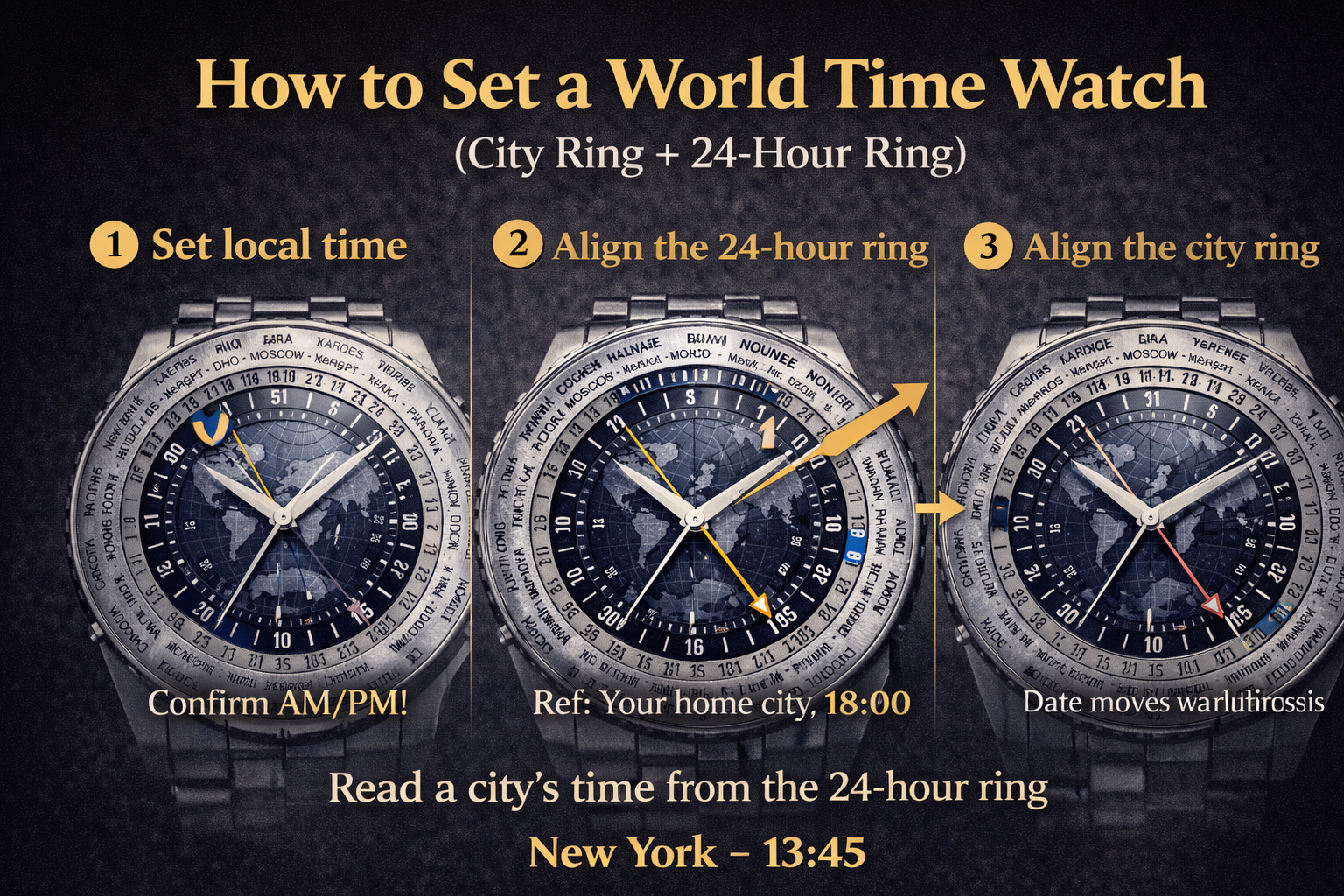 World time watches look complex, but the logic is simple: once you align your city ring and 24-hour ring to a reference time, you can read the time in many cities at a glance.
If you want the high-level explanation first, start here:
GMT vs World Time Explained: Differences, How They Work, and Which You Need
Quick Answer
A world time watch usually has:
-
a city ring (24 cities)
-
a 24-hour ring (day/night indication)
To set it:
-
Set your local time correctly (including AM/PM)
-
Align the city ring so your reference city matches the correct hour on the 24-hour ring
-
After that, read any city’s time directly from the 24-hour ring
Before You Start: 3 Things to Check
1) Which city represents your time zone?
Some city rings use major reference cities (e.g., “London” for UTC, “New York” for Eastern Time). Pick the one that matches your time zone.
2) Does your watch have a “pusher” or crown-controlled city ring?
-
Some adjust via the crown
-
Some via a pusher (one click = one city)
3) Confirm AM/PM first
World timers rely on a 24-hour ring, so AM/PM correctness is crucial.
If you need safe crown habits first:
How to Set an Automatic Watch Safely
Step-by-Step: Setting a Typical World Time Watch
Step 1) Set the main hands to local time
Set hour/minute hands to your local time.
Confirm AM/PM by advancing through midnight if needed.
If your watch is stopped, you may need to restart it first:
Do Automatic Watches Stop If Not Worn?
Step 2) Align the 24-hour ring (day/night)
Rotate or set the 24-hour ring so it matches the correct 24-hour time at your reference city.
Example:
-
If it’s 18:00 (6 PM) where you are, your reference city should align with “18” on the 24-hour ring.
Step 3) Align the city ring
Set the city ring so that your reference city sits at the correct position (usually at 12 o’clock or at the time marker used by your watch’s design).
After this, reading is simple:
-
find a city
-
look directly inward to the 24-hour ring for that city’s time
How to Read the Time in Any City (After Setup)
-
Locate the city name on the ring
-
Read the number on the 24-hour ring next to it
-
Convert 24-hour time if you prefer 12-hour format
Common Mistakes (And Fixes)
Mistake 1: Everything is 12 hours off
Cause: AM/PM misalignment.
Fix: Advance the main time by 12 hours and re-align city/24-hour rings.
Mistake 2: City ring is correct but 24-hour ring is wrong
Cause: 24-hour ring not synced to your reference time.
Fix: Re-align 24-hour ring to your home/reference city.
Mistake 3: You adjusted the date during the danger zone
If your world timer includes a date, follow the safe setting rules:
How to Set an Automatic Watch Safely (Time, Date, and the “Danger Zone” Explained)
Mistake 4: Your watch suddenly runs fast after travel
Magnetism is common during travel (chargers, phone cases, bags):
Watch Magnetism: Signs Your Watch Is Magnetized, How to Test It
Does World Time Affect Accuracy?
Not directly, but more complications mean maintenance matters.
Accuracy baseline:
Are Automatic Watches Accurate? Real-World Tolerances, Why They Drift & How to Improve Accuracy
Care routine:
How to Maintain an Automatic Watch: Daily Wear, Storage & Servicing
Service expectations:
How Often Should You Service an Automatic Watch? Intervals, Costs, Warning Signs & What to Expect
FAQ: Setting a World Time Watch
Do I need to reset the world time every day?
No. Once set, it stays synced as the watch runs.
What if my city isn’t on the ring?
Pick the nearest city in the same time zone.
Why does the 24-hour ring show day and night?
Because it’s a 24-hour scale—values above 12 indicate afternoon/evening.
Can I use a world time watch like a GMT?
Yes, but GMT is usually simpler for just two time zones. See:
GMT vs World Time Explained: Differences, How They Work, and Which You Need